
Insert Media
Add images, pdfs, or other items from the media library to a content type
Image layouts can change the appearance or function of the images when you insert them.
Document layouts can change the appearance or function of document links when you insert them, including buttons instead of links.
The process works for:
- Images
- PDFs
- Microsoft Office docs
In the text editor of the content type, select the Insert from media button

Navigate to the section of the Media library where the file is located. Most media folders are under Categorized > Libraries.
From the media list, select the name of the item and it will be inserted into the content type.
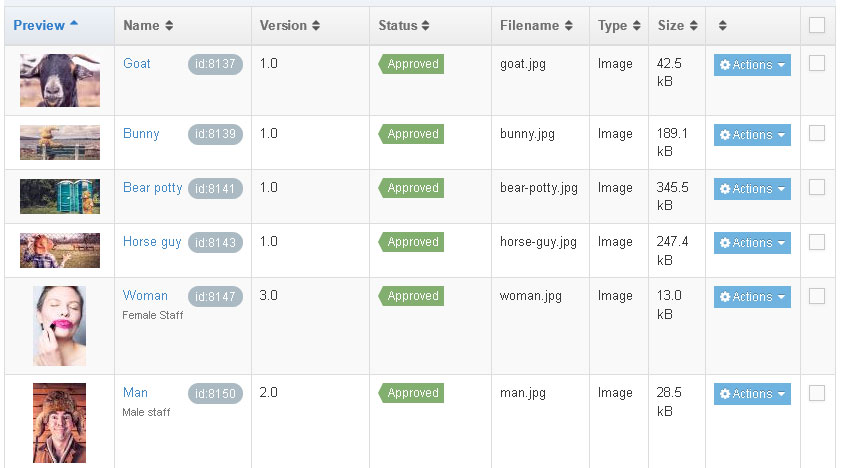
Some content types make use of a Select Media button. It uses the same process as above
The select media button is for images only. It does not work for pdfs or Word documents.
For pdfs and Word documents:
When you select a document, it will create a link using the name you gave the document when it uploaded.
Example:
If you upload a pdf and name it 'Admission Requirements', when selected from the library it will create a link that says Admission Requirements. That link will open the pdf.